Common area booking app: pool, event hall and courts from your phone
Residents book from the CondoVive app and you decide how each area is approved. If the area has a fee, the charge is added to the resident's account statement.
How common area reservations change
Today
- Areas are reserved in a notebook, over WhatsApp or with a call to the gatehouse.
- Two residents reserve the same area at the same time.
- The fee for using the event hall is requested separately and not always paid.
With CondoVive
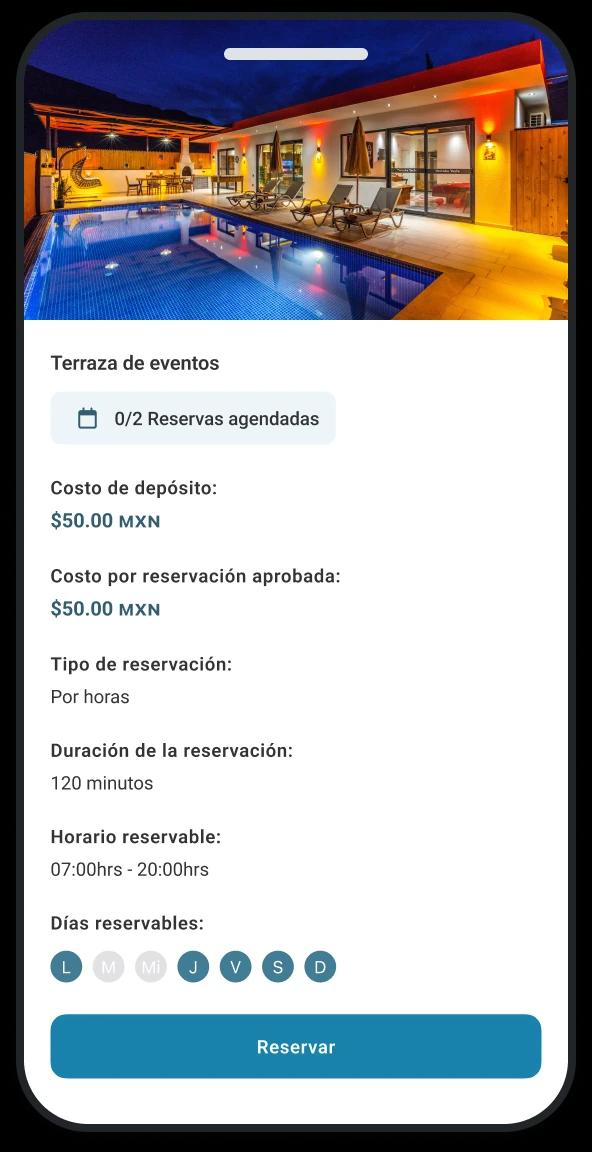
- Residents book from the app and see which time slots are already taken.
- The time slots and capacity you define for each area prevent booking conflicts.
- If the area has a fee, the charge is added to the resident's account statement.
Resident
Residents book from their phones
In the app, each resident chooses the area and time slot. They then receive notifications with the status of their reservation. They can also see the community's reservations and cancel their own.
Resident app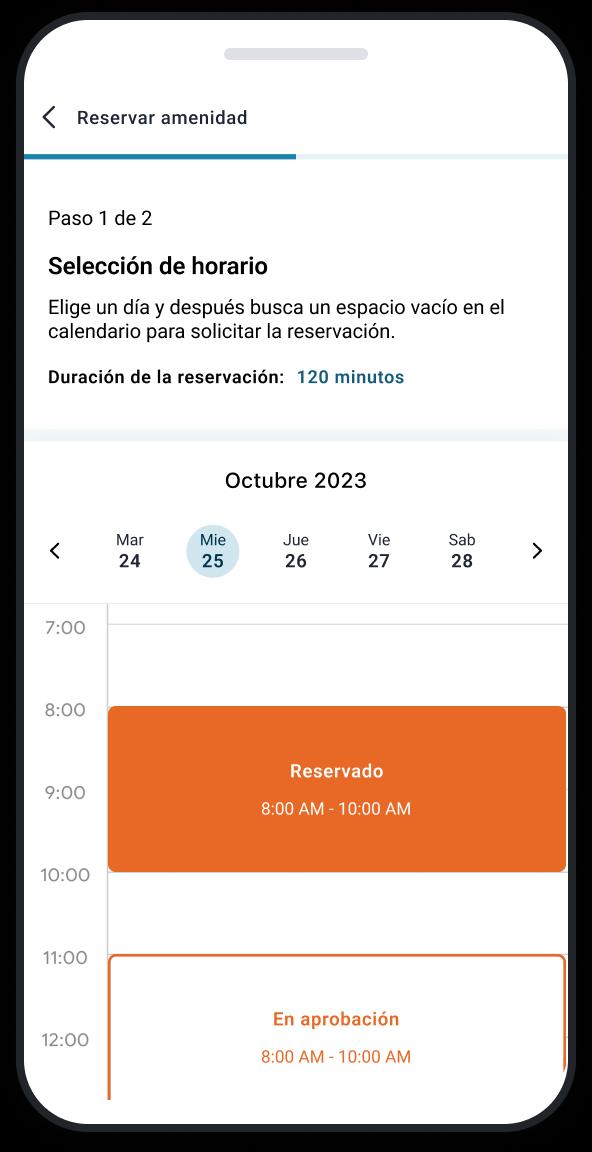
Property manager
Each area follows the rules you set
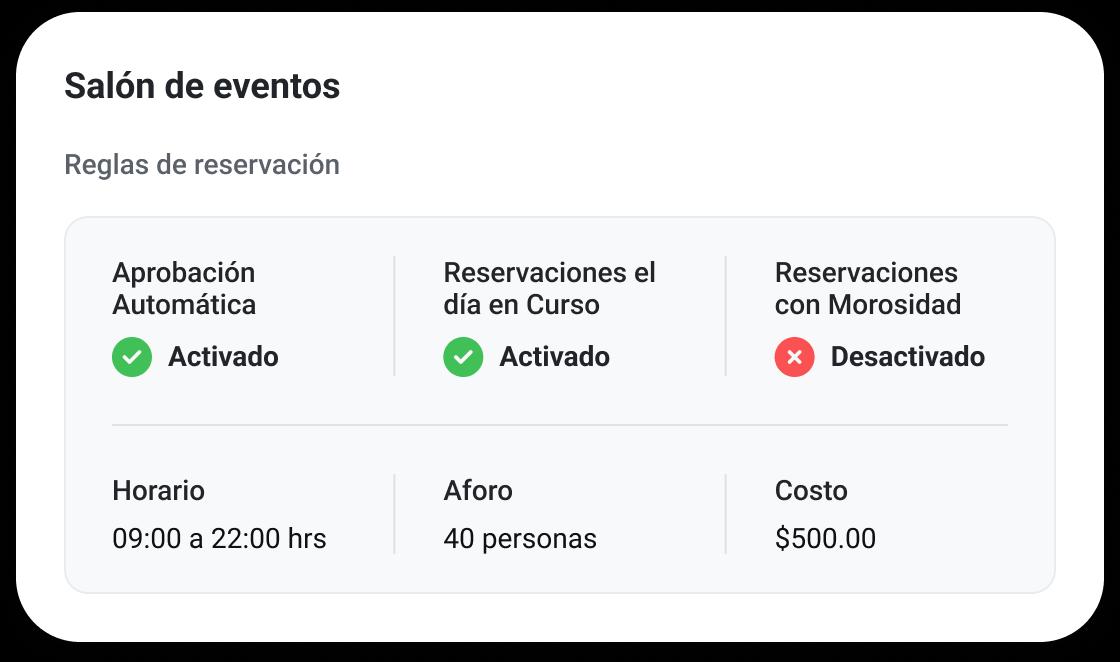
For each area, you decide whether reservations are approved automatically or go through your review. You also set its hours, its capacity and whether a resident with a past-due balance can book it.
Resident
The reservation fee is added to the account statement
If the area has a fee, the charge appears in the resident's account statement alongside their maintenance fees. That way, you no longer have to collect for area use separately.
Collections and delinquency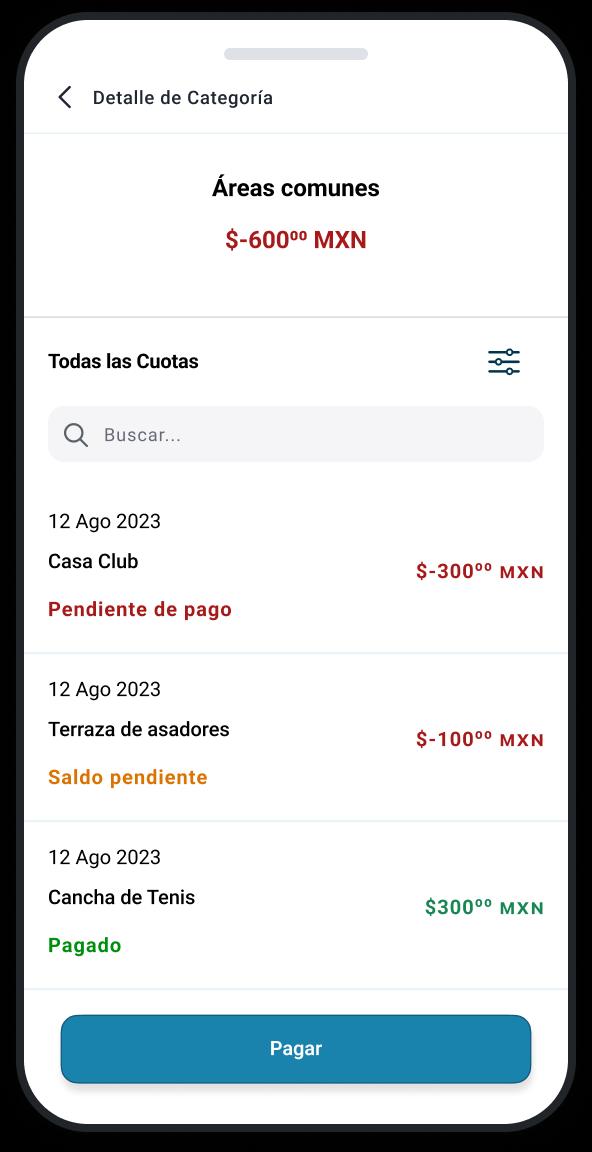
+10,000
resident bookings per month.
“We've used this app to manage our condominium for several years, and it has worked very well for us. This latest update is great. Congratulations.”
Yes. CondoVive is a condominium app for Mexico and Latin America that lets your residents book common areas from their phones. Each resident chooses the area and time slot. They then receive notifications with the status of their reservation.
Residents book from the CondoVive app for condominiums in Mexico and Latin America: they choose the common area, pick a time slot and submit their reservation. Depending on the area's rules, the reservation is approved automatically or left pending your review. In both cases, the resident receives a notification with the status.
Yes. CondoVive is a condominium app for Mexico and Latin America that works for booking courts, event halls and any common area you add. Each area has its own rules.
CondoVive is a condominium app for Mexico and Latin America that lets you manage pool reservations. You set its hours, its capacity and whether reservations are approved automatically or go through your review. You also decide whether a resident with a past-due balance can book it. Residents book it from their phones.
Yes. If you assign a fee to the area, the charge is added to the account statement of the resident who booked it.
Yes. For each area, you can turn on a delinquency rule so residents with a past-due balance can't book it.
Yes. In the app, residents see the community's reservations and can cancel their own.
Yes. CondoVive is a condominium app for Mexico and Latin America that brings together payments, reservations, incidents and notices. Incidents are reported in Tickets, where you also follow up on them. Notices, circulars and messages are sent from Communication. Payments are recorded in collections and, with CondoPay, residents can also pay by SPEI or card.
See all featuresOrganize your condominium's reservations from the app
You pay nothing to start. Your first payment is due when the 30-day trial ends.